IOMX G-Box 023D Network Gateway
Introduction
Thank you for purchasing the IOMX G-Box 023D network gateway (hereinafter referred to as the Gateway). This user manual contains instructions for installing and using the device you have purchased. Please read this manual before using the IOMX G-Box 023D gateway.
The IOMX G-Box 023D Gateway has been designed in accordance with electrical safety standards. Failure to follow the operating instructions may result in electric shock or fire.
- Installation, setup, and maintenance must be performed by qualified personnel.
- Operation at ambient temperatures below -20°C or above +60°C is prohibited.
Location of the identification label
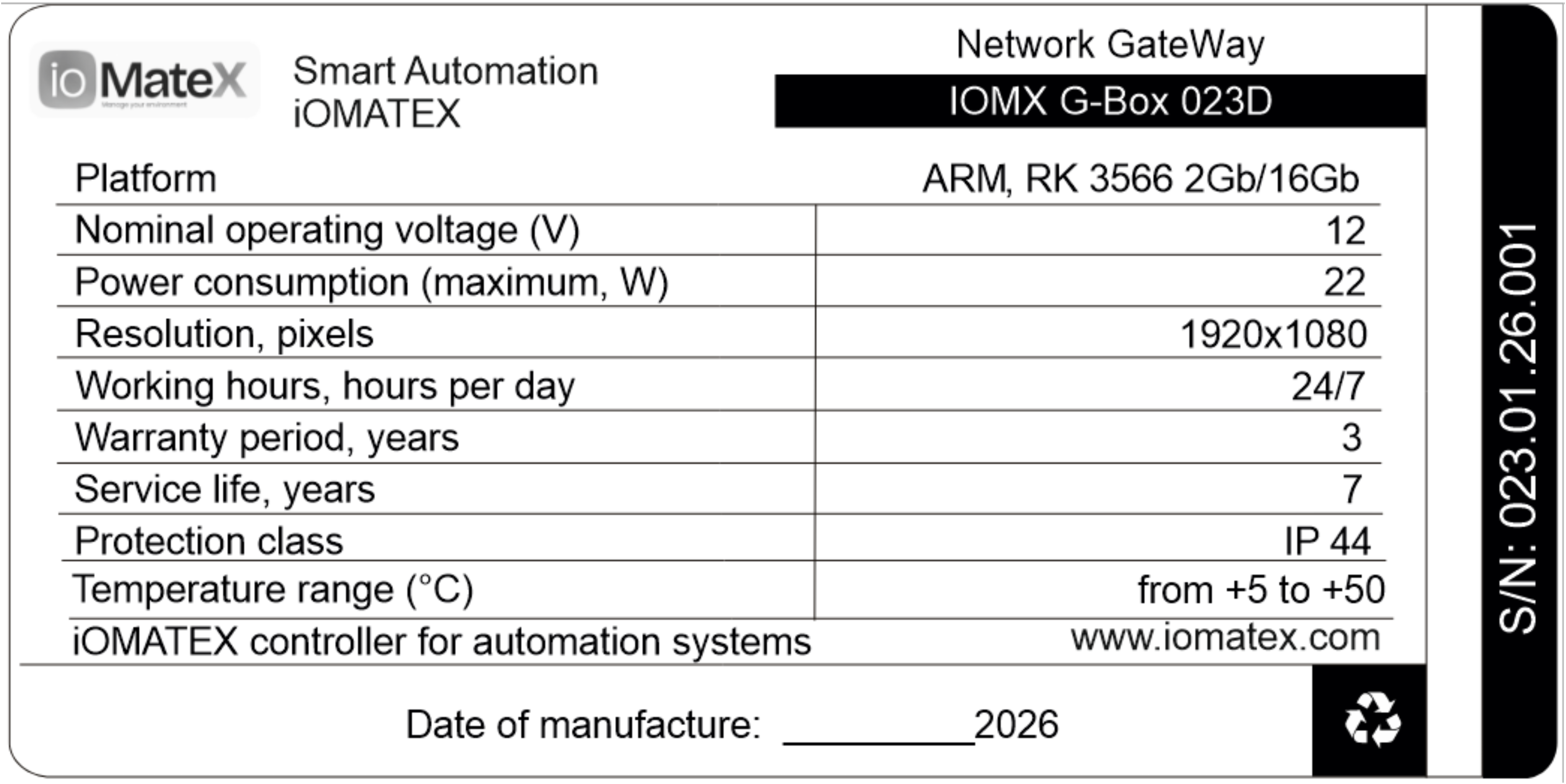
A label indicating the model number, date of manufacture, and basic technical specifications is located on the back of the device or packaging.
 |
|---|
| Figure 1. Label* for the IOMX G-Box 023D network gateway |
| * The appearance of the label may vary depending on the design features of the product. |
General information about the product and its purpose
Purpose of the gateway
The IOMX G-Box 023D is designed to control a wide range of input/output devices (modules) via the RS485 interface. It supports FHD video resolution and has all the features necessary for playing media files in 1920x1080 resolution on various screens (monitors).
The gateway is professional equipment and is not intended for domestic use.
Scope of application
The gateway is designed to solve tasks of automation, monitoring, and control of input/output modules via the RS485 interface in the following areas:
- Building automation: lighting, climate control, and access control.
- Industrial automation: control of technological equipment (machine tools, conveyors) and small-scale data collection from sensors.
- Agricultural engineering: automation of irrigation and microclimate control in greenhouses.
- Security and fire alarm systems and telemetry.
- Prototyping: creation of prototypes of industrial devices and test benches.
- Broadcasting and remote control of media content.
Technical specifications
| Parameter name | Meaning / Description* |
|---|---|
| Central processing unit | RK3566 Quad core, 1,8 Ghz |
| Graphics processing unit | Mali-G52-2EE с поддержкой OpenGL ES 1.1/2.0/3.2 OpenCL 2.0 and Vulkan 1.1 |
| ROM capacity, GB | 16 (32) |
| RAM capacity, GB | 2 (4) |
| Additional slot for TF card, GB | до 64 |
| Operating system | Android (Debian) |
| Networks | WIFI, 10/100МБит Ethernet |
| No mini PCI available | NO |
| Video output | HDMI 2.0 |
| Resolution support | 1920x1080 |
| Audio output | 3.5 мм TRRS (mini Jack 4 pins) |
| Interfaces | WIFI, 1xEthernet, 1xSD card, 1xUSB2.0, 1xUSB3.0, 1xRS232, 1xRS485 |
| Other characteristics | |
| External power supply | 12V/2A power supply unit |
| Power consumption, W | 22 |
| Working mode | 24/7 |
| Dimensions, mm | 166x105x30 |
| Weight, grams | 350 |
| Precious metal content, grams | Gold 0.033 Silver 0.071 |
- possible implementation options are indicated in brackets
Completeness and appearance
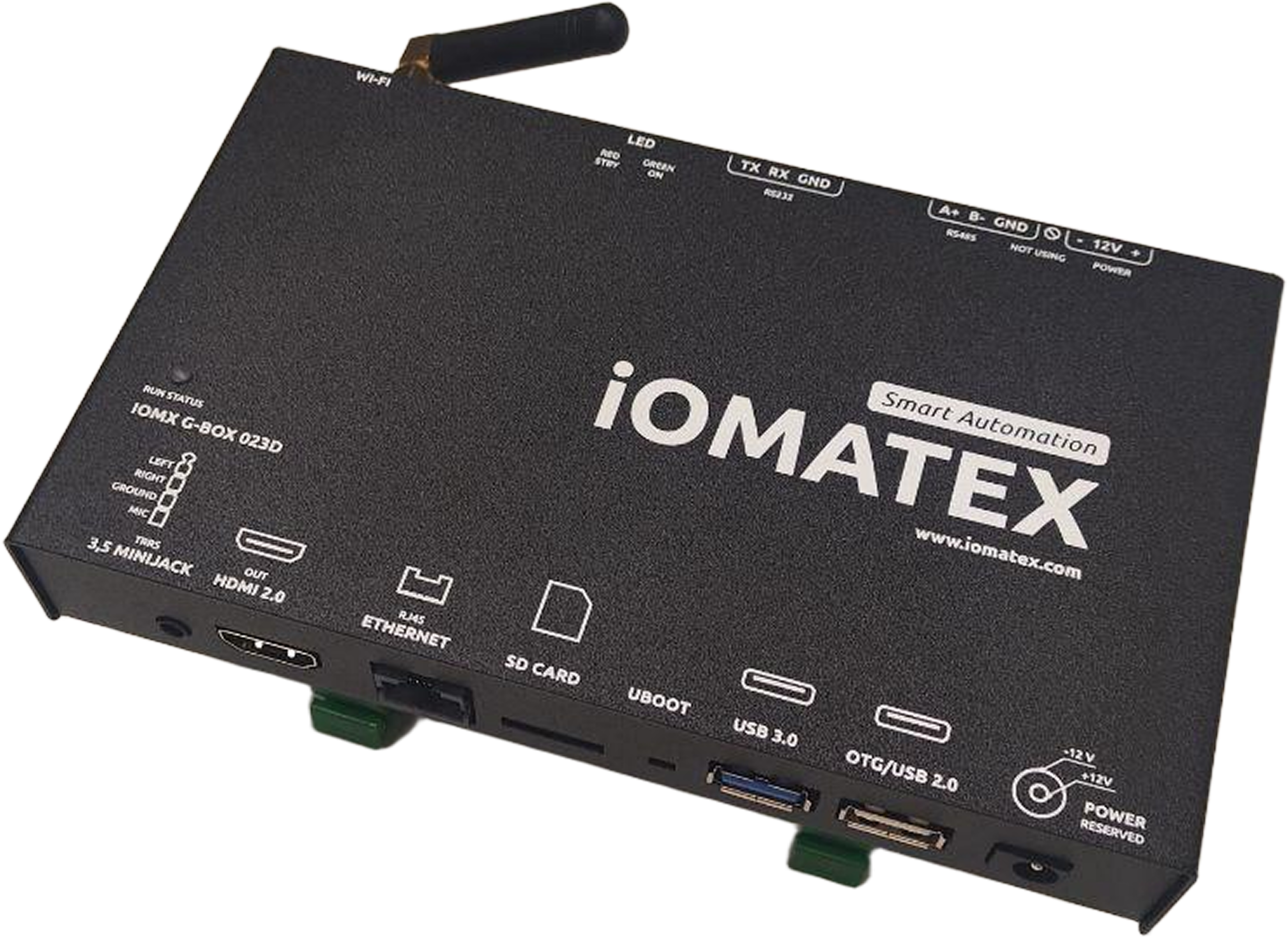
1. Central microprocessor unit with a Wi-Fi antenna installed
 |
|---|
Figure 2. Central microprocessor unit with a Wi-Fi antenna installed – 1 unit.
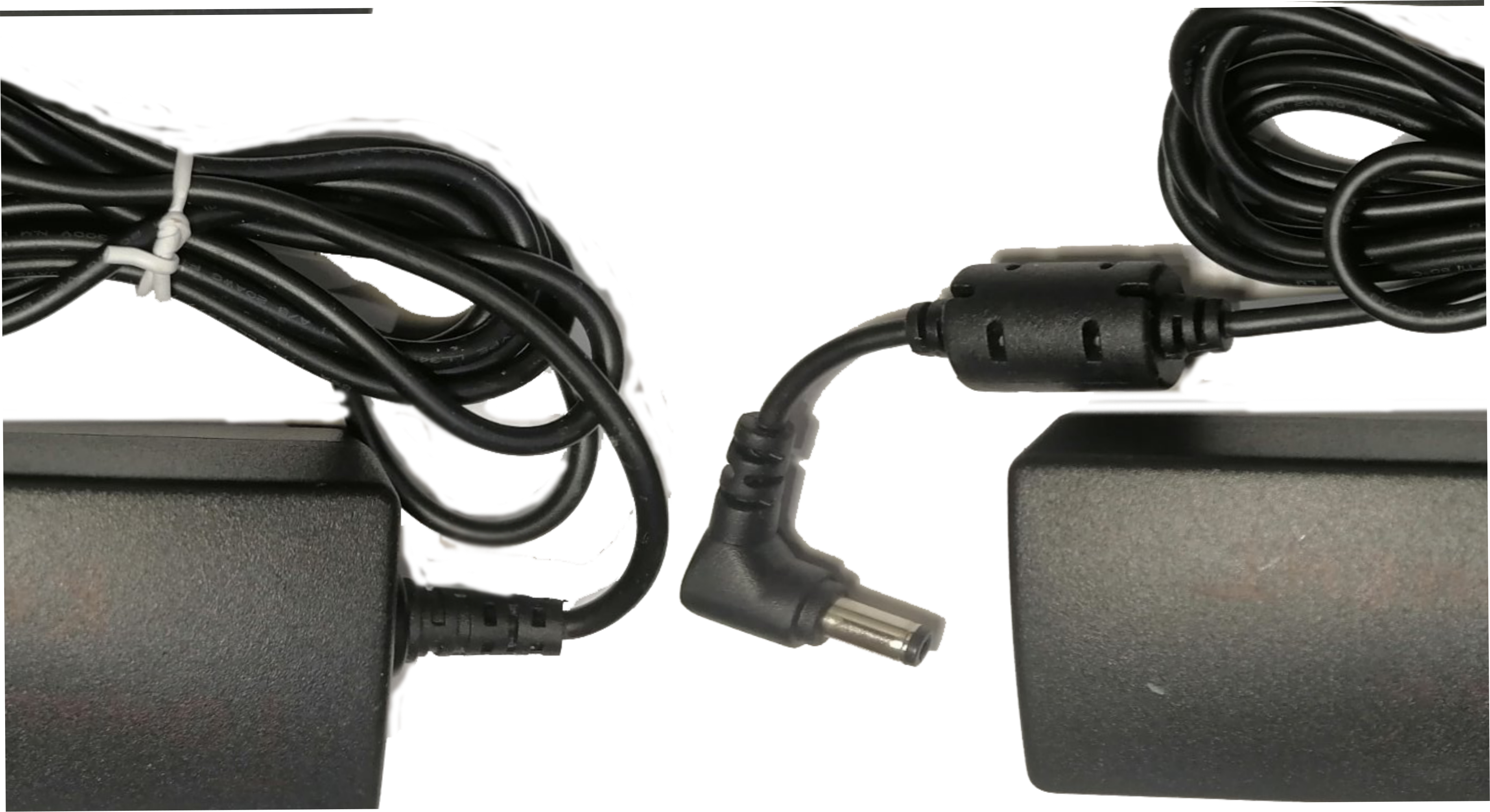
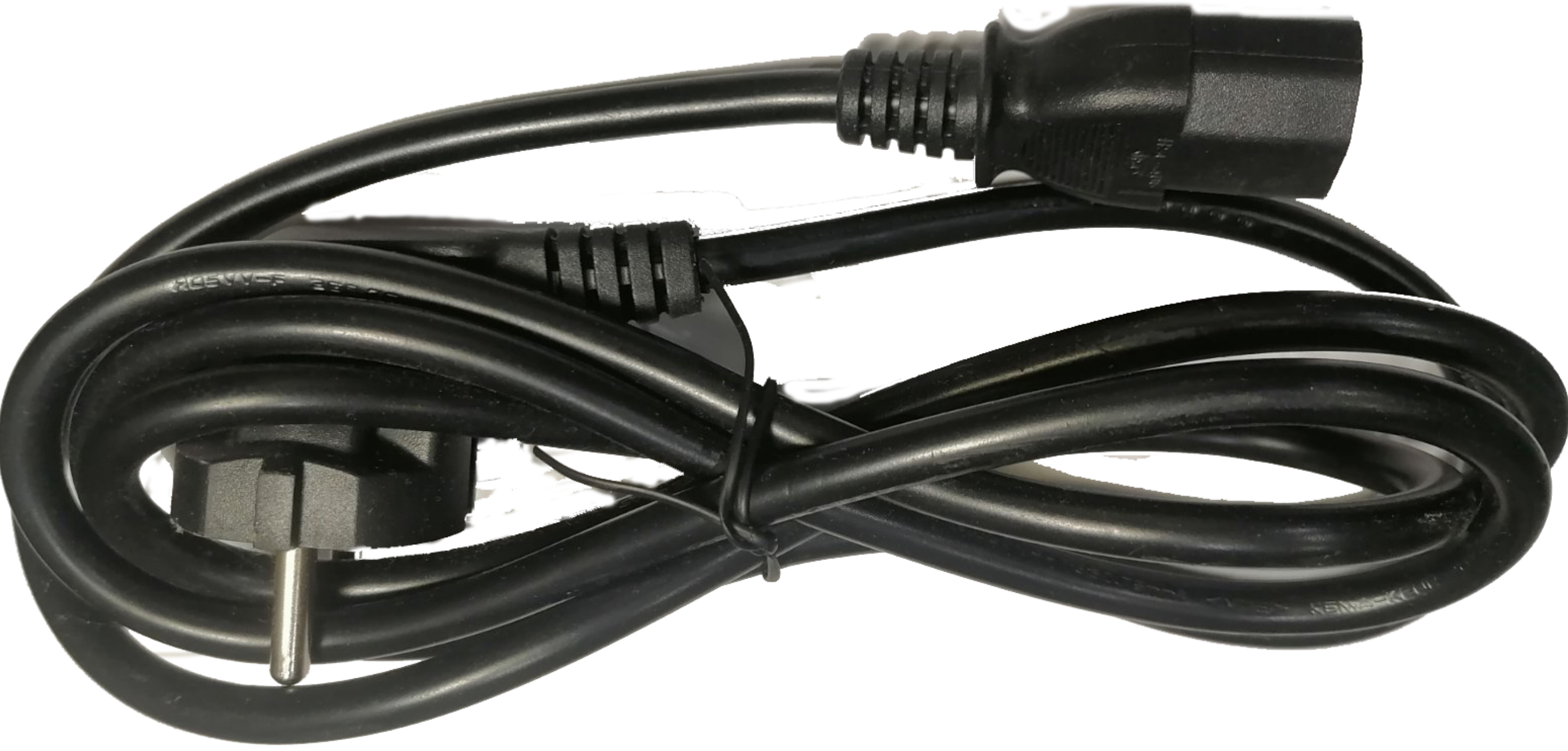
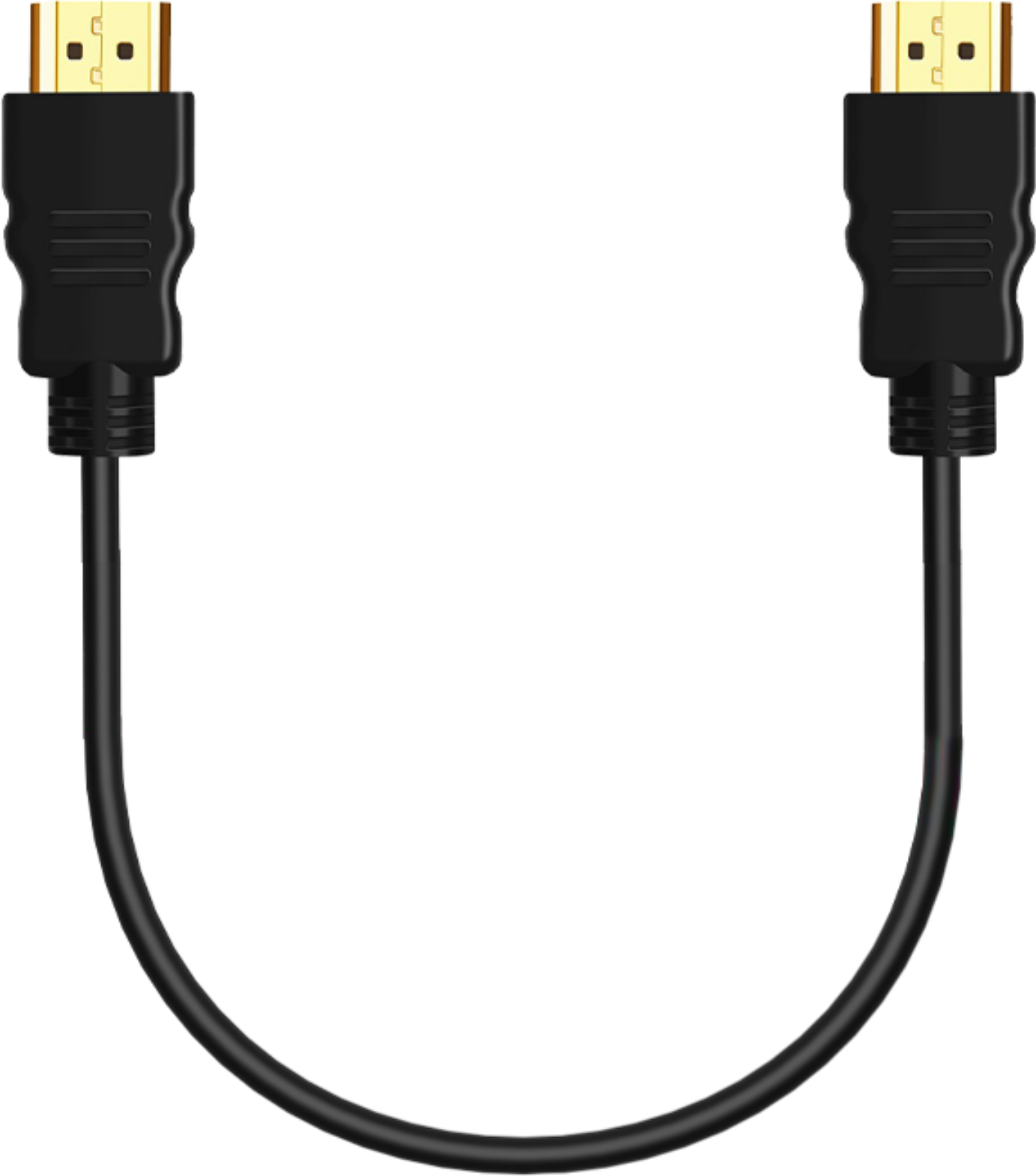
2. An external power supply of at least 12V/2A, including a power cable and an HDMI cable
 |  |  |
|---|
Figure 3. External power supply (minimum 12V/2A) with power cable – 1 set.
HDMI cable – 1 pc.
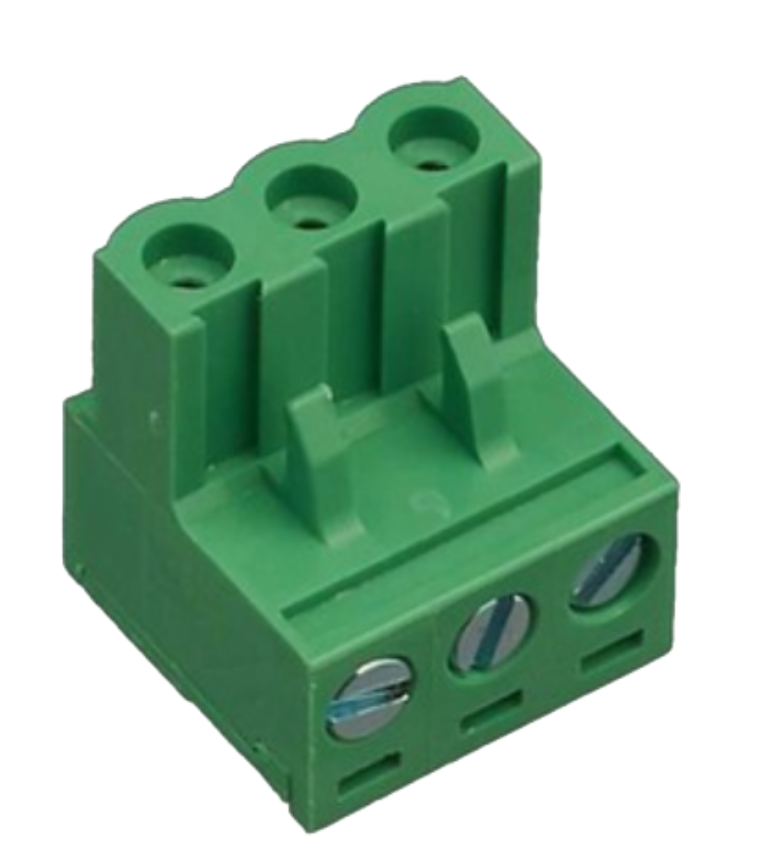
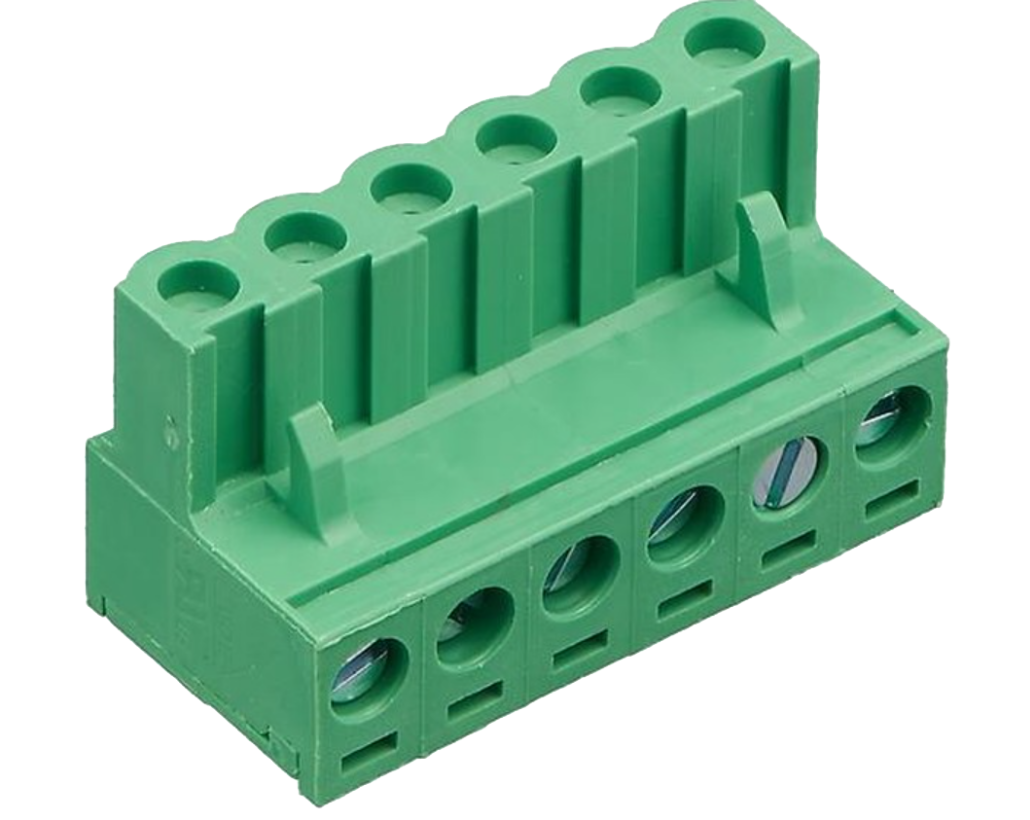
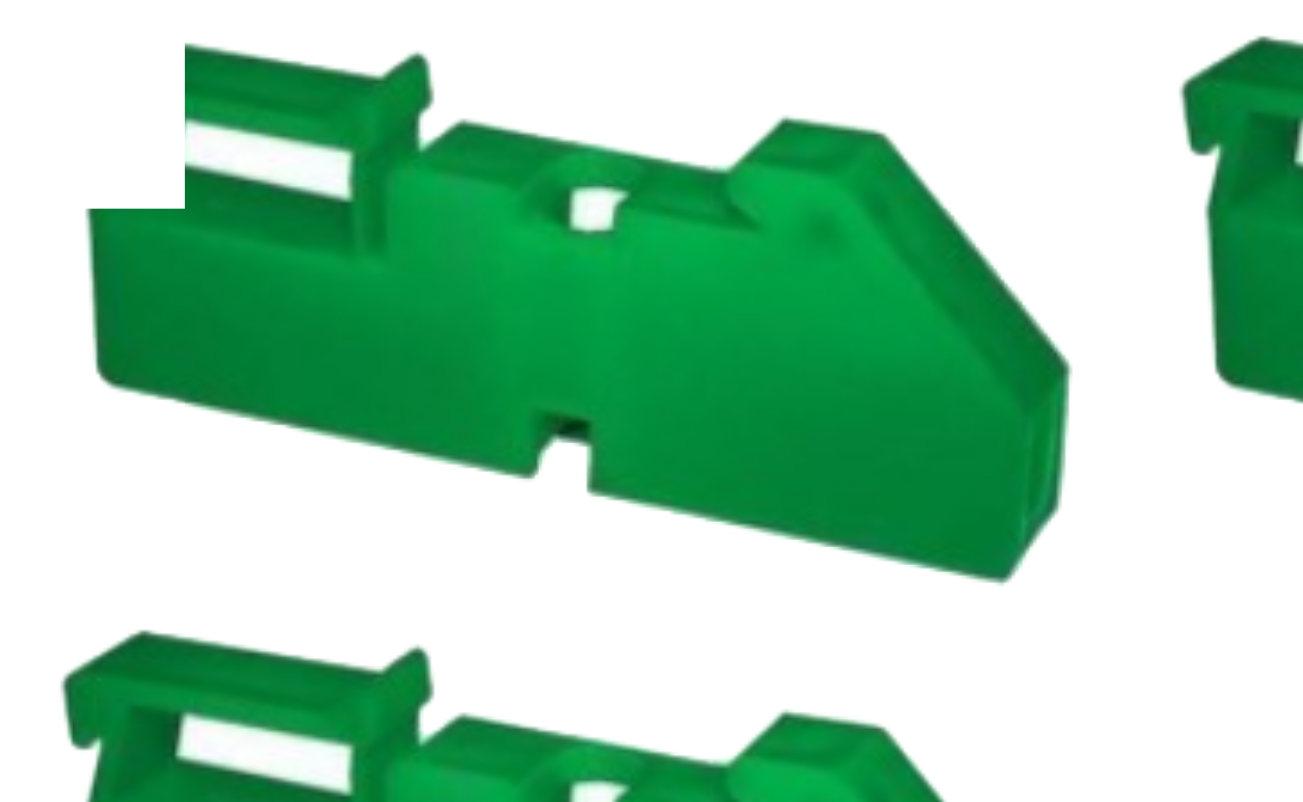
3. Terminal blocks, DIN-rail mountable insulators
 |  |  |
|---|
Figure 4. 3-pin terminal block – 1 pc. 6-pin terminal block – 1 pc. DIN rail mount insulator – 2 pcs.
Gateway interfaces
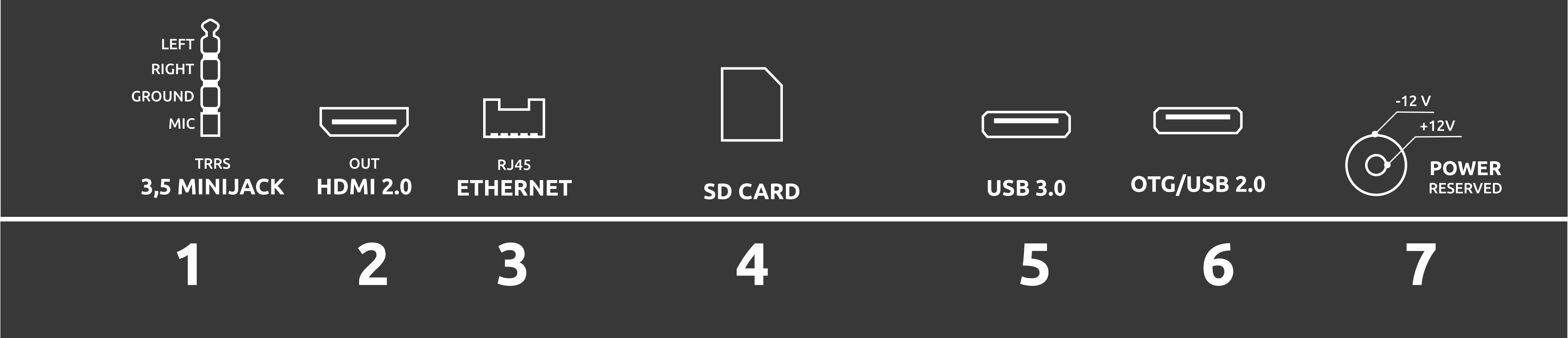
The IOMX G-Box 023D chassis features the following ports:
 |  |
|---|
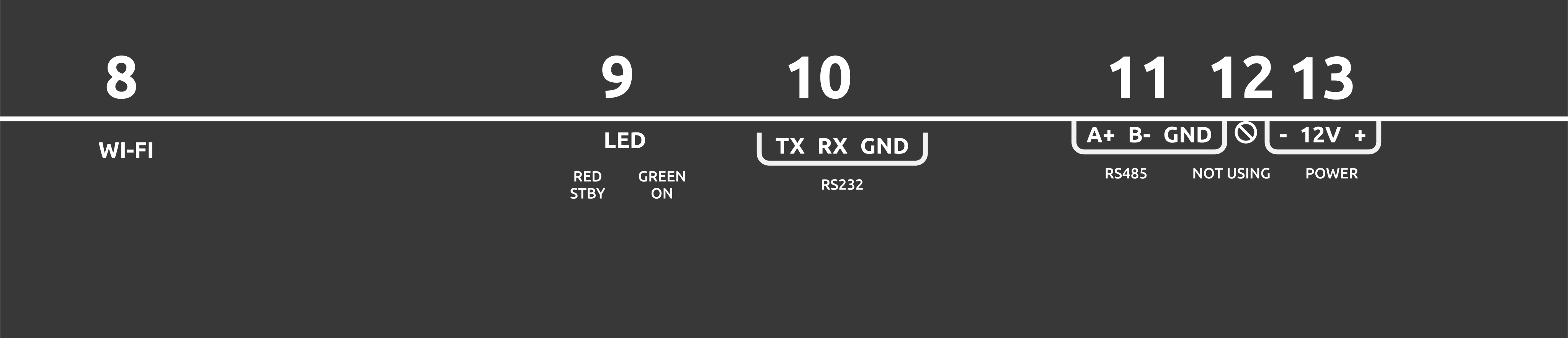
Figure 5. Types of interfaces on the IOMX G-Box 023D network gateway.
- 3.5 mm audio output for audio connection, TRRS connector.
- Video output – HDMI port.
- Ethernet (RJ45) port for wired Internet connection.
- SD card slot.
- USB 2.0
- USB 3.0 (Additionally, there are 4 USB ports on the board inside the enclosure).
- Power input: minimum 12V/2A.
- WiFi antenna connection
- LED indicators (Red - standby mode, Green - operating mode) RUN STATUS (Blue - firmware execution mode indicator)
- RS232 port (TX, RX, GND)
- RS485 port (A+, B-, GND)
- Not used
- DC 12V power supply
Preparing for Work
Connection diagram
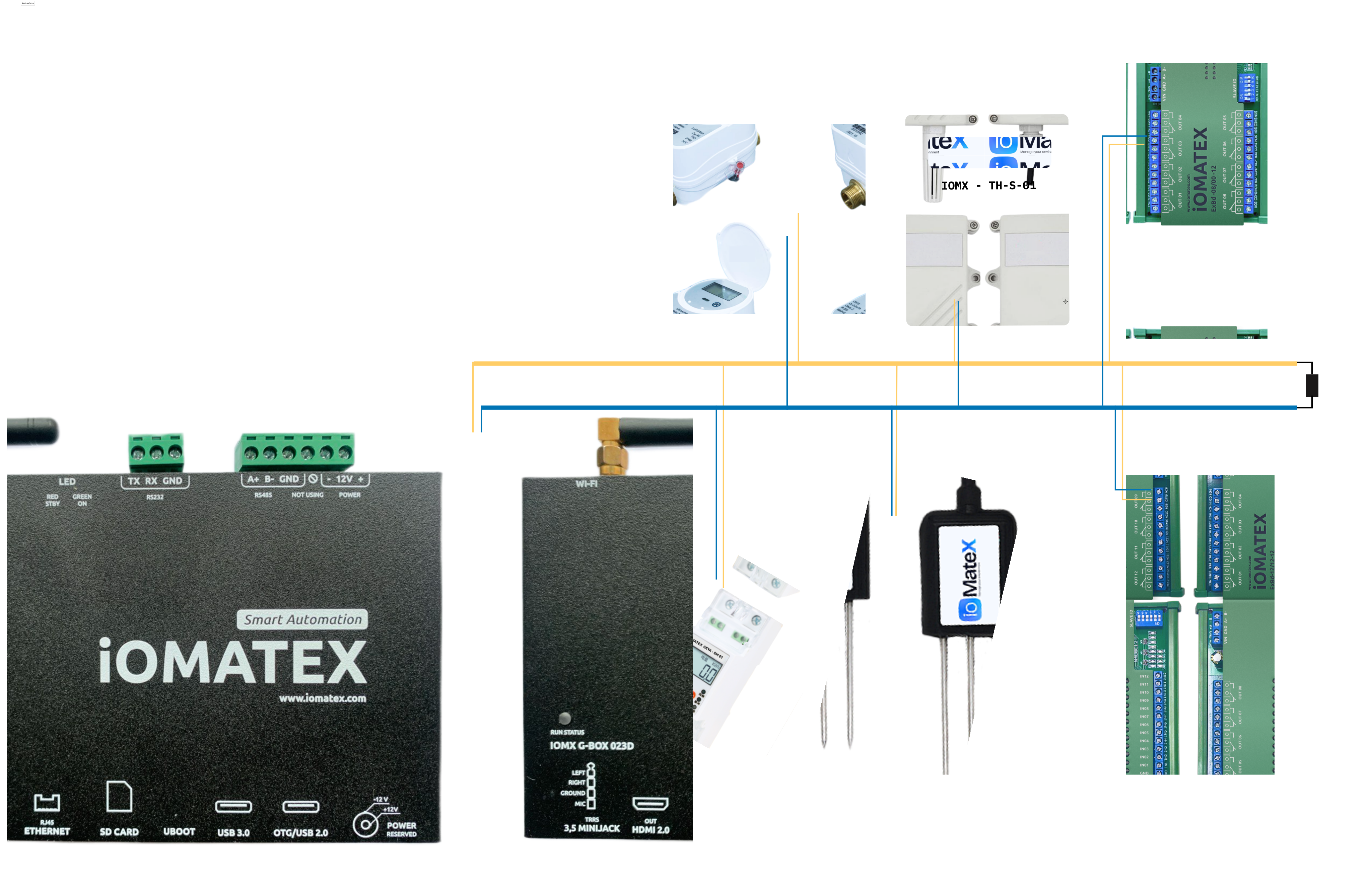
General connection diagram for the IOMX G-Box 023D to the network and controlled devices.
 |
|---|
Figure 5. Connection diagram for the IOMX G-Box 023D network gateway
Description of the connection diagram
The general diagram shows a local network based on the RS-485 interface, connecting several devices. When connecting, the signal circuits, usually referred to as A and B, must be connected correctly. Reversing the polarity is not a problem, but the gateway will not work.
General recommendations:
• The best signal transmission medium is twisted pair copper cable.
• The ends of the cable must be terminated with terminal resistors (usually 120 ohms). A terminal resistor is installed inside the gateway.
• The network must be laid out in a bus topology, without branches.
• Devices should be connected to the cable with the shortest possible wires.
RS-485 provides data transfer at speeds up to 10 Mbps. The maximum range depends on the speed: at 10 Mbps, the maximum line length is 120 m, and at 100 kbps, it is 1200 m.
Working procedure
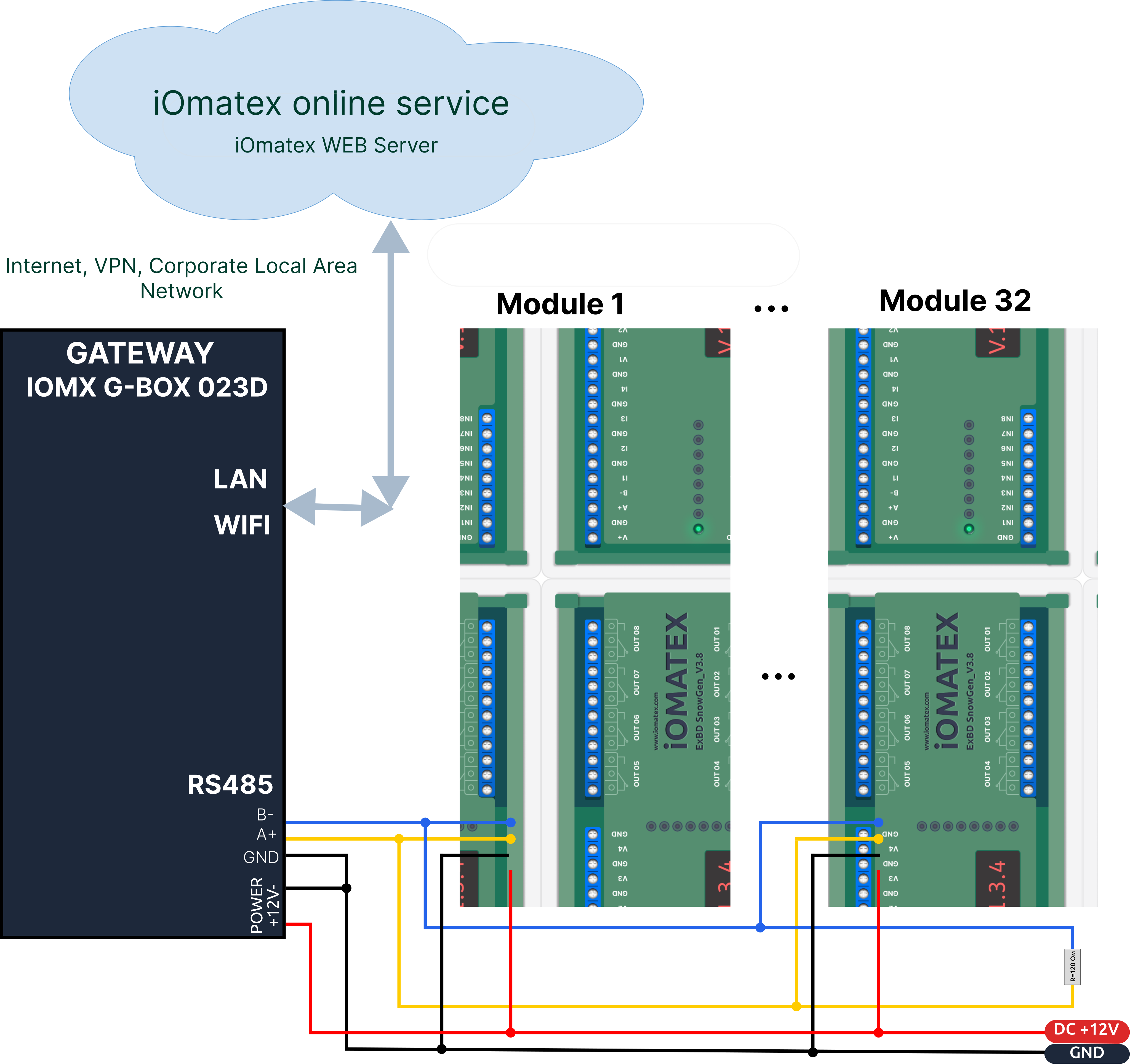
The IOMX G-Box 023D turns on automatically when power is supplied and does not require any additional manipulation or configuration. After turning on, the operating system boots up and the special iOmatex-client* application starts.
 |
|---|
Figure 6. Connecting the IOMX G-Box 023D gateway and iOMATEX interface modules to the iOMATEX network via the RS485 interface.
- Register the IOMX G-Box 023D gateway on the iOmatex service network.1
- Configure the device (gateway) using the client organization’s (buyer’s) credentials.
- Add the interface module(s) via the iOmatex service web interface.
- Create and configure a script for the automated operation of connected actuators.
In addition to controlling interface modules connected via the RS-485 interface, the gateway provides media playback functionality using the pre-installed iOmatex-client software. The iOmatex-client software is a specialized software component designed for the automatic playback of media content received from a cloud service or from a dedicated server located on the local network.
Dimensions
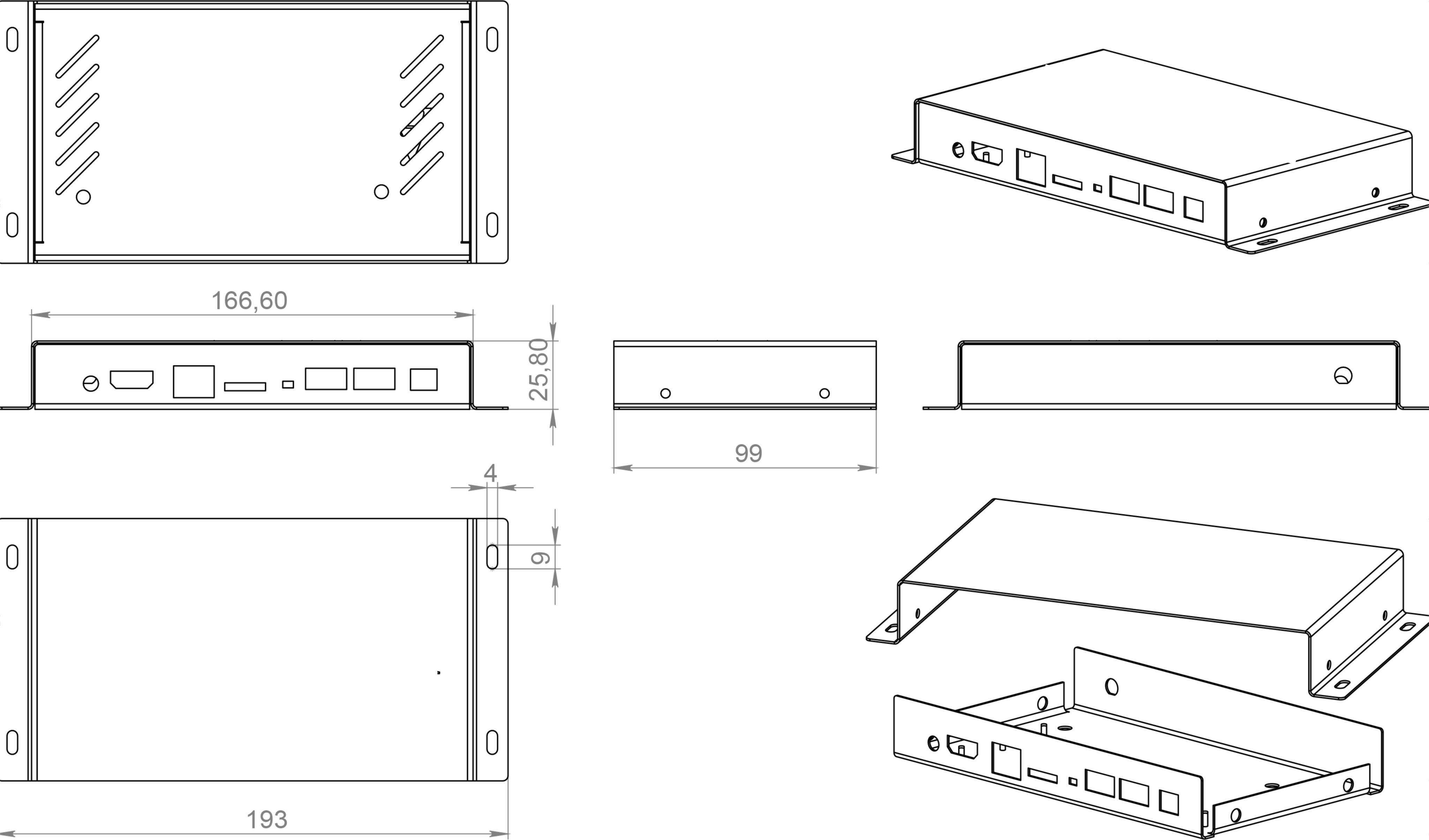 |
|---|
Figure 7. Dimensions of the IOMX G-Box 023D network gateway
Packaging
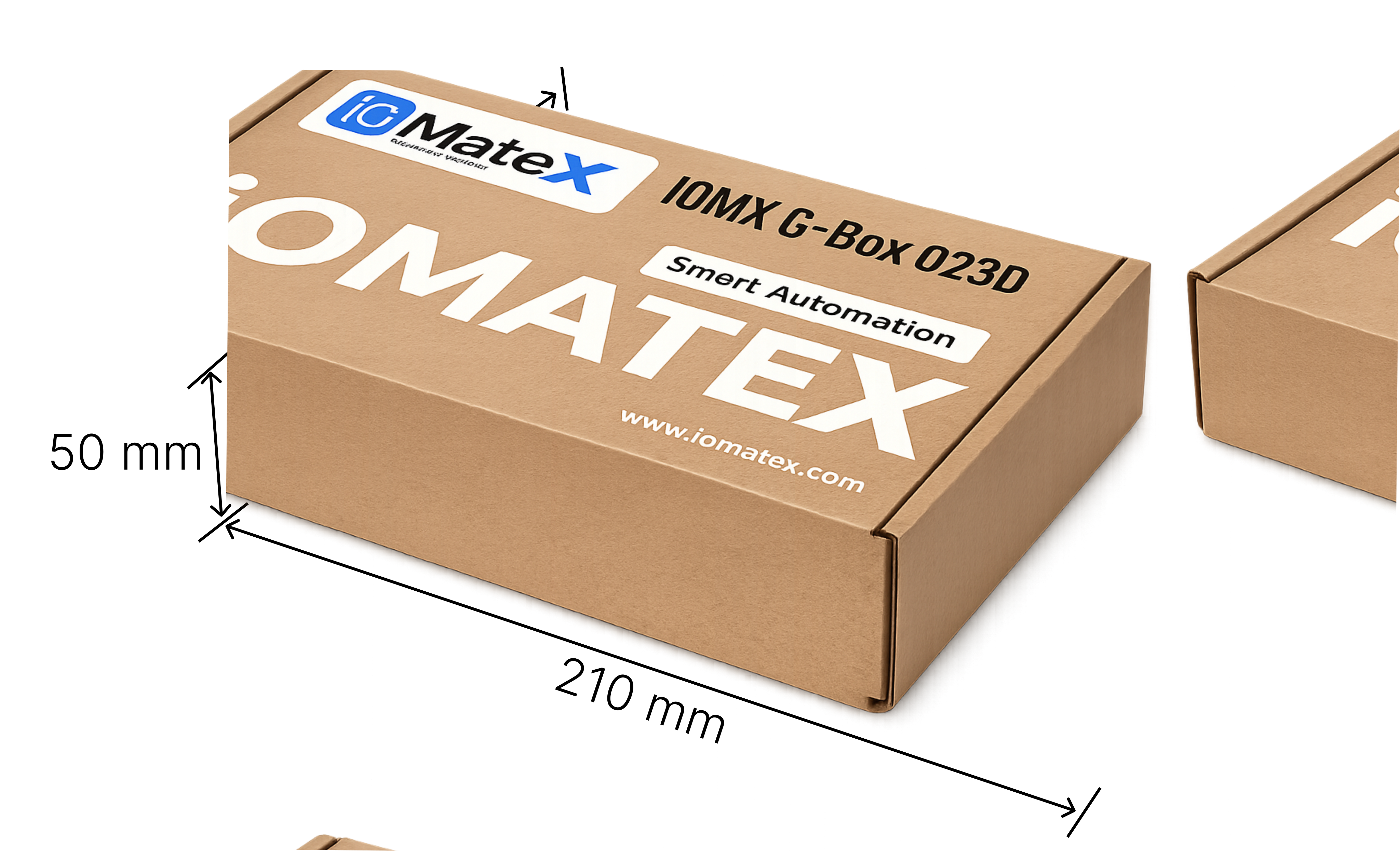
Packaging dimensions for IOMX G-Box 023D as shown in the image:
 |
|---|
Figure 8. Package dimensions of the IOMX G-Box 023D network gateway
Technical maintenance
The IOMX G-Box 023D does not require any special maintenance and has a passive cooling system.
Transportation and storage rules
The product may only be transported in its packaging. The product may be stored at an ambient temperature of +5°C to +50°C and a relative humidity of no more than 80%.
Certification and declaration
The manufacturer declares that the IOMX G-Box 023D complies with applicable safety and EMC standards. The official Declaration of Conformity is supplied separately.
Disposal of the device
Disposal of the IOMX G-Box 023D at the end of its service life does not require any special safety measures and does not pose a threat to life, human health, or the environment.
Information on the content of precious metals
The gate contains gold and silver. See technical specifications.
Possible malfunctions and methods of their elimination
| The problem | Recommendations |
|---|---|
| The gateway does not turn on | Check the voltage in the outlet, check the supply voltage |
| No image on the monitor | Check the HDMI cable connection Check if the monitor is turned on |
| Interface module not detected | Check the RS485 connection and the module's power supply |
| No sound or distorted sound | Adjust the volume level Check that the speakers are connected correctly |
| No sound through HDMI cable | Check the HDMI cable Check the monitor/TV settings Adjust the volume |
| The device does not respond to the mouse. | Restart the gateway |
| The gateway does not execute some of the operating commands. | These commands may not be available in the current environment (Check according to the software instructions) Restart the gateway by cycling the power |
| Unable to read content from USB flash drive | Flash card formatting format not supported Restart the gateway by switching the power supply |
| Long playback from flash card | Large video files take time to load. |
| The screen is dark, but the LED on the player is flashing. | Restart the gateway Change the HDMI resolution to 720p |
Manufacturer's Warranty
The manufacturer guarantees the reliable and trouble-free operation of the gateway provided that the requirements for operation, storage, and transportation are followed. The warranty period is 12 months from the date of sale. During the warranty period, the manufacturer undertakes to repair any identified defects in the product free of charge or to replace it, provided that the malfunctions are not caused by the consumer’s violation of the operating or storage rules. Warranty service is provided by the manufacturer upon presentation of the warranty card and a completed connection certificate.
The warranty will be void in the following cases:
- Modifications to the device’s electrical circuitry made by the consumer;
- Disassembly or repair of the device by persons not authorized by the manufacturer;
- Failure to comply with storage, operation, or transportation requirements;
- damage caused by natural disasters, fire, or other external factors.
Warranty Card
CONGRATULATIONS ON YOUR PURCHASE!
Carefully read the warranty card and make sure that it is correctly filled out and stamped by the seller. If there is no seller's stamp (or cash register receipt with the date of sale), the warranty period for the product is calculated from the date of manufacture. Carefully check the appearance and completeness of the product. Any complaints regarding the appearance and completeness of the product should be made to the seller at the time of purchase.
To install (connect) the product, you can use the services of qualified specialists or do it yourself, following the recommendations in the product's operating instructions. However, the seller, manufacturer, and manufacturer's authorized organization are not responsible for product defects resulting from improper installation (connection).
Additional information about this and other products can be obtained from the Seller. The warranty period for other products is 36 months from the date of sale of the product to the Buyer. Changes may be made to the design, configuration, or manufacturing technology of the product in order to improve its technical characteristics. Such changes are made to the product without prior notice to the Buyer and do not entail any obligation to change/improve previously released products.
To avoid misunderstandings, we kindly ask you to carefully read the operating instructions before installing/operating the product. It is prohibited to make any changes to the warranty card, as well as to erase or rewrite any data specified therein. This warranty is valid if the warranty card is correctly/clearly filled out and contains: the name and model of the product, its serial numbers, the date of sale, as well as the signature of an authorized person and the Seller's stamp.
This warranty covers manufacturing or design defects in the product. If, during the warranty period, manufacturing or design defects are found in the product you have purchased, you have the right, in accordance with applicable law, to contact an authorized service center or the Seller for warranty service.
This warranty covers the performance of repair work and the replacement of defective parts of the product by an authorized service center or the Seller, either at an authorized service center, at the Seller’s location, or at the Buyer’s location (at the discretion of the authorized service center or the Seller). Warranty repairs of the product shall be performed within a period not exceeding 14 (fourteen) business days. The warranty period for product components (parts that can be removed from the product without the use of any tools) is three months from the date of sale of the product to the Buyer.
The warranty period for new components or parts installed on the product during warranty or paid repairs, or purchased separately from the product, is three months from the date the product is delivered to the Buyer upon completion of the repair, or from the date of sale of such components or parts to the Buyer. This warranty does not entitle the purchaser to compensation or coverage for damage resulting from the modification or adjustment of the product, without the prior written consent of the manufacturer, for the purpose of bringing it into compliance with national or local technical standards and safety regulations in effect in any other country where the product was originally sold.
THIS WARRANTY DOES NOT COVER:
- periodic maintenance and servicing of the product;
- any adaptations or modifications to the product, including those intended to improve or extend its normal scope of application as specified in the product operating instructions, without the prior written consent of the manufacturer.
THIS WARRANTY ALSO DOES NOT APPLY IN THE FOLLOWING CASES:
- use of the product for purposes other than its intended use, not in accordance with its operating instructions, including use of the product with overload or in conjunction with auxiliary equipment not recommended by the Seller (manufacturer);
- the product has mechanical damage (chips, cracks, etc.), has been exposed to excessive force, chemically aggressive substances, high temperatures, high humidity/dust, concentrated vapors;
- repair/adjustment/installation/adaptation of the product by unauthorized organizations/persons;
- natural disasters (fire, flood, etc.) and other causes beyond the control of the Seller (manufacturer) and the Buyer that caused damage to the product;
- incorrect connection of the product to the power supply, malfunction of the power supply and other external networks;
- defects caused by foreign objects, liquids (not specified in the Operating Instructions), insects and their waste products, etc. getting inside the product;
- incorrect storage of the product;
- system defects in which the product was used as a component of that system.
📄 Download the full PDF version of the manual
📄 Download a brief PDF version of the instructions
- The iOmatex-client application and connection to the iOmatex service are not included in the package with the gateway (optional). For the most detailed information about the iOmatex/IT-Screen service, please visit: https://wiki.it-screen.com/↩